Showing posts with label Picasa. Show all posts

Friday, October 2, 2009

Google Photos Blog: Announcing Picasa 3.5, now with name tags, better geotagging and more

I've been playing with the new Picasa 3.5. There are a number of nice features in this edition. The one I like most so far is face identification. The Web version has had it for a while, but the disk application is much slicker. It is also very addictive, as Darien will attest. I've spent hours going through my library, tagging faces. The software does some automatic matching, which can be uncanny in its accuracy, when it is not being funny in its inaccuracy. Evidently Gabriel really does take after Darien.

One unexpected use I will be making of Picasa is help in working with genealogy photos. I can now easily match names to faces, especially in a photo with a number of people. You can see some samples in one of my Picasa Web folders.
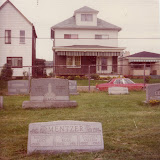

Genealogy: Duke

This also points out that you can synchronize your computer and your Web albums, so the work you do in the one can be carried over to the other.

The other big feature in this version is enhancements made to geotagging. I haven't used it much yet, but it promises to make geotagging much faster, since you don' have to open Google Earth to use it. You can read more about these and other featurs on the Google Photos Blog. Now go play.
Reblog this post [with Zemanta]

Thursday, August 27, 2009

Favorite friends

I received two messages today alerting me to new pictures on Picasa. One set was posted by Gabriel, who went camping with Peter and another friend. He posted a few photographs from Vermont that are very good -- he concentrated very much on composition, on color, on form. I also received an e-mail from Jody, who posted some shots of Minnesota that give a strong sense of place, and a strong sense of Coco, too. (How Jody found so many places without snow is a mystery to me.)

The notices showed up in my mailbox informing me that the photographs were available because I linked to their Picasa sites as a friend. To do this, you designate a person as a favorite in the right panel, triggering an e-mail to you whenever more pictures are posted. I find it a good way to keep tabs on what people are doing that I care about, and the person who posts them doesn't have to send out notices whenever something new is up.

I've linked to those I know who are posting on Picasa or who have designated me a favorite, but I am not aware of everyone who might be doing this. If you add me as a favorite, you will show up as a fan of mine, in which case it is easy to follow through and designate you as a favorite. Or drop me a line and I'll add you. Those currently on my list include:

  • Antonia
  • Darien
  • Gabriel
  • Jennifer
  • Jonathan
  • Marc
  • Martha (thanks, Mom)

Thursday, August 20, 2009

Photo bacchanalia

Picasa now has a nice feature that allows more than one person to contribute to a Web folder. You initiate it through the share button when you open up the Web folder. There is a check box to enable contributions. While the contributor can add descriptions, he or she can't edit your own descriptions. (I consider this a flaw; I'd like that to be something you can turn on or off by user.)

I have set up a shared folder for Darien and me to begin putting images for ideas we want to remember as we continue to design the lower bathroom in the cabin. I've also included her and Gabriel on the cabin renovation as a whole. Since Gabriel is actually living in the cabin now, it will be easy for him to shoot some pictures if there are day-to-day developments that I can then review and decide whether to retain. The storage counts against the host (me), but that isn't an immediate issue.

I'm thinking of converting my Dukes growing up in Norwalk to a shared folder for any of the kids to drop images as they scan them. Maybe I'll do something similar for genealogy-related images. What do you think? Is it something you would use?

Thursday, June 4, 2009

Getting a screenful of Picasa Web

If you use or view Picasa on the Web, there is now a very nice full screen mode that allows you to flip through a gallery very quickly. Essentially, it is the slide show with snappier navigation. When you have a single picture on the screen, look up in the left corner, right under where it says "My Photos" and click "Full screen." When the full screen comes up, you will see the navigation buttons at the bottom to flip through the gallery, but you can also use the right and left arrow keys to go even faster. You will be amazed at how quickly you can scan through the images. If you don't have your own Picasa Web albums, you can test drive it on one of mine. To really take advantage of your monitor's size and turn on the acceleration, press the F11 key -- at least on a PC. Let us know if that works on a Mac as well, or if there is some equivalent key.